

Enabling contextual information within flow of work
Whatfix AI infuses intelligent context and uses intent to adapt experiences across our products, expanding what application owners, L&D teams, and digital leaders can achieve. Together, they unlock productivity, accelerate workflows, and optimize performance, turning AI into business outcomes.
https://whatfix.com/ai/
My role
Problem framing & prioritisation: Identified why Quickread adoption was low by analysing user signals and feedback, and reframed the problem statement from “AI search quality” to “contextual information within the flow of work.”
Defining the UX approach: Translated user needs and enterprise constraints into clear UX principles around context, trust, and low setup, which guided all subsequent design decisions.
Shaping solution direction: Explored and evaluated multiple experience directions (standalone vs embedded, AI-first vs hybrid), and aligned stakeholders on the usable and scalable approach.

Our users
Primary - enterprise end-users
Who they are
Non-technical employees (Sales, Support, Ops, HR, Finance, Insurance)
Work inside multiple enterprise applications daily
Context
Time-constrained, mid-task, low tolerance for friction
Need answers while doing work, not by switching tools
What matters to them
Relevance to current context
Trust in answers so that they can build confidence
Minimal effort or setup time
Secondary - enterprise admins & enablement teams
Who they are
IT admins, L&D, platform owners
Responsible for rollout, governance, and adoption
Context
Enable features but don’t use them day-to-day
Measure success through usage and ROI
What matters to them
Low setup and maintenance cost
Permission-aware, secure behaviour
Clear value justification for using systems be it AI or not
Problem
What customers were saying
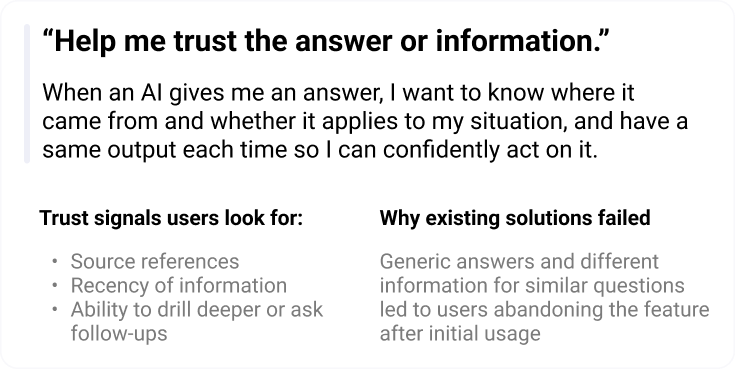
Responses felt generic and disconnected from users’ work context.
Lack of Contextual and Personalized ResponsesSimilar questions returned varied results, reducing trust with respect to systems accuracy
Hard to trust the informationThe one-question-one-search model limited deeper exploration
Limited Search Depth
What that indicated - The problem was around relevance and confidence of the information showcased to user
Existing Quickread screens
Context - whats data telling us
Quickread launched in early 2023 as an lightweight AI summarizing tool, gained strong initial adoption. However, by early 2025, it was observed for end users
Adoption dropped to ~2% MoM
Low repeat usage after first interaction
What that indicated - “Users were trying the feature, but not finding enough value to return.”
Voice of customers
The Quickread experience
Key jobs to be done
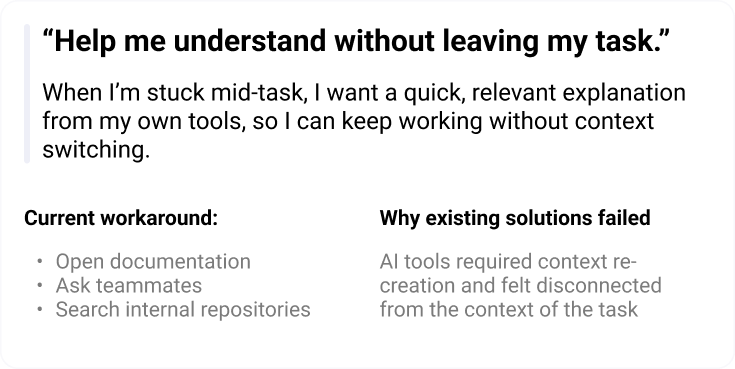
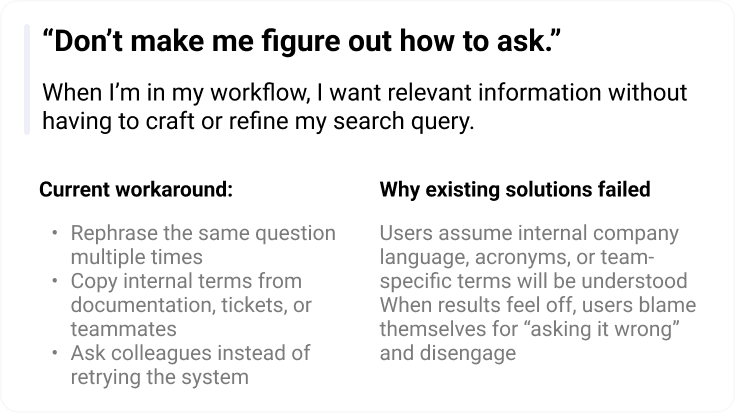
Inferences
Based on data, market analysis and customer feedback we narrowed down the insights to three essential items that would ensure an enhanced customer expereince

The Approach
Design Principles
Based on the inferences, user needs and jobs to be done, these are the principles that helped shape the solution
Product direction
Based on these principles as constraints, translated insights into actionable directions
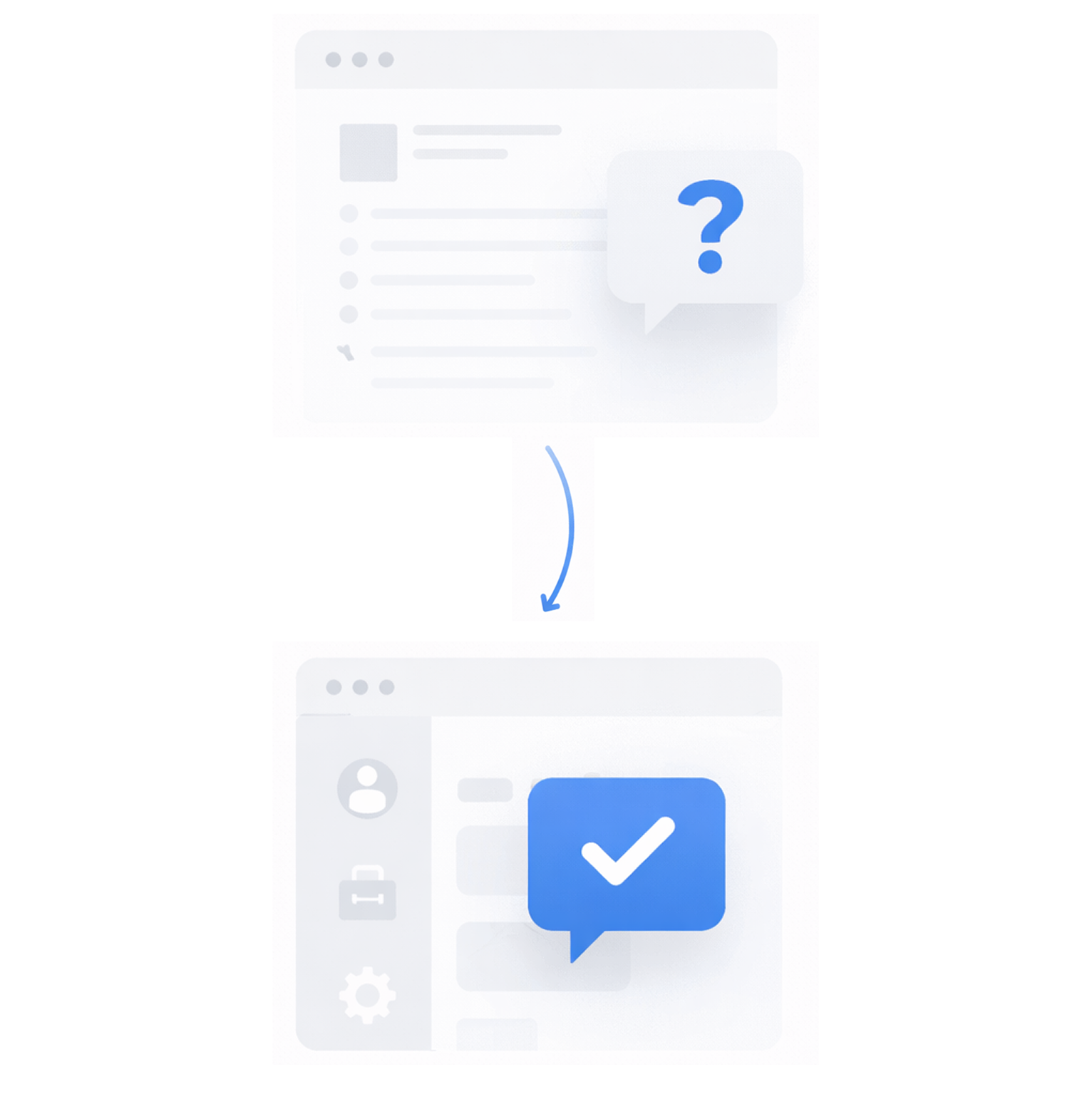
Building context of work rather than depending just on query phasing
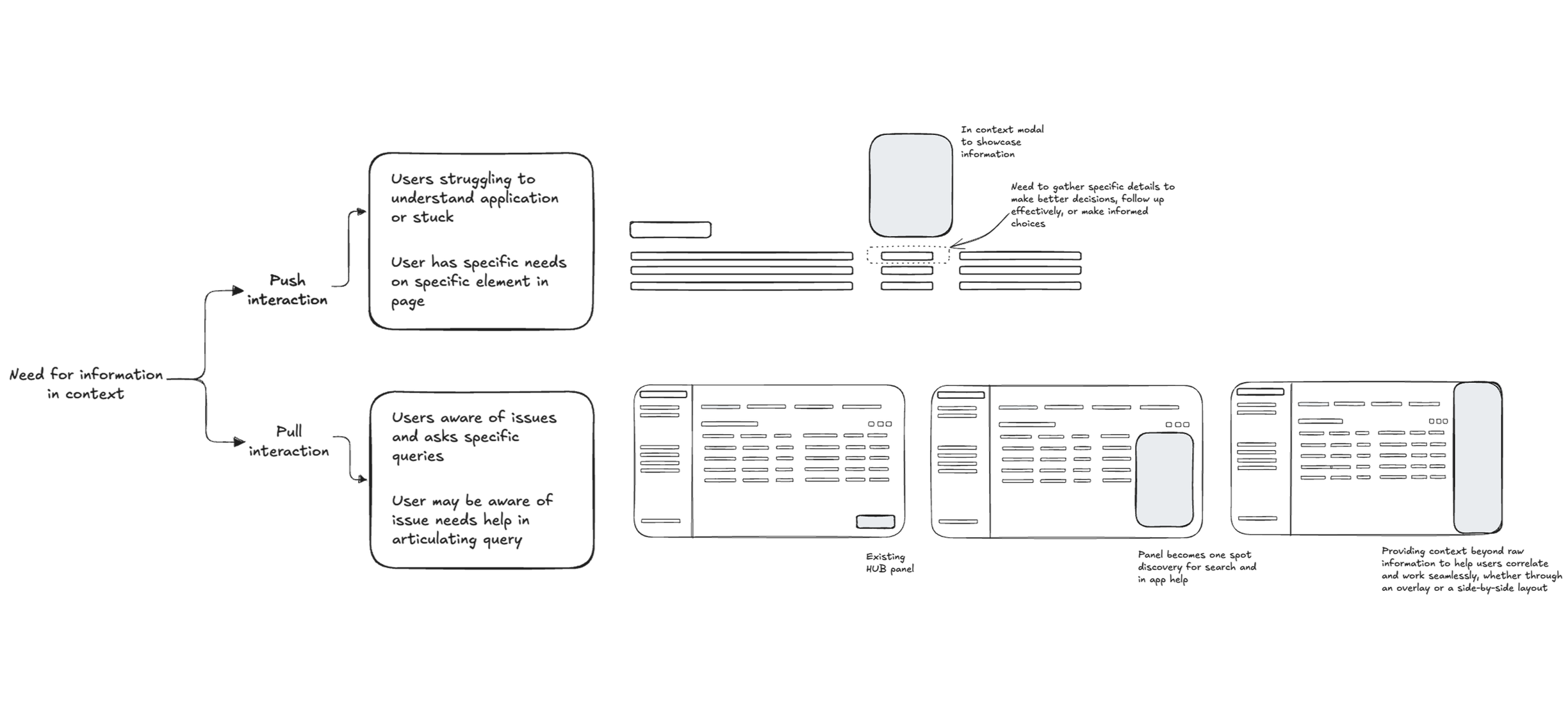
The entry point resides on the app in flow of work as well as on demand to make a specific query when needed.
Relevant information is surfaced based on users context of application and intent
Intent is to understand what the user is trying to accomplish, not just what they typed.
Memory / history to maintain continuity across interactions and avoid losing context.
Keyword graph mapping connects in-context terms to related concepts and documentation to improve relevance.
Enhanced query formatting via multi -turn interactions rather than just single Q&A formats
Responses are designed to support follow ups and refinements, enabling users to build understanding across multiple turns.
Information is marked sown instead of paragraph , prioritising clarity over dense, one-shot responses.
Areas within the application that frequently require assistance are auto-triggered with contextual prompts, allowing users to engage or ask follow-up questions when needed.
Suggested next questions and actions help guide exploration without forcing users to decide the “right” query upfront.
Building trust and transparency on AI responses via validation, and accuracy of outputs
Responses clearly surface source references and data recency, helping users understand where information comes from.
Trust is reinforced through consistency across similar queries, reducing confusion and increasing confidence in repeated use.
Perceived accuracy markers, such as response speed, freshness of data, and feedback validation, help users understand reliability at a glance.
Users can go deeper into sources or supporting content before acting, rather than being forced to trust the summary alone.
The Solution
Reimagining the form factor
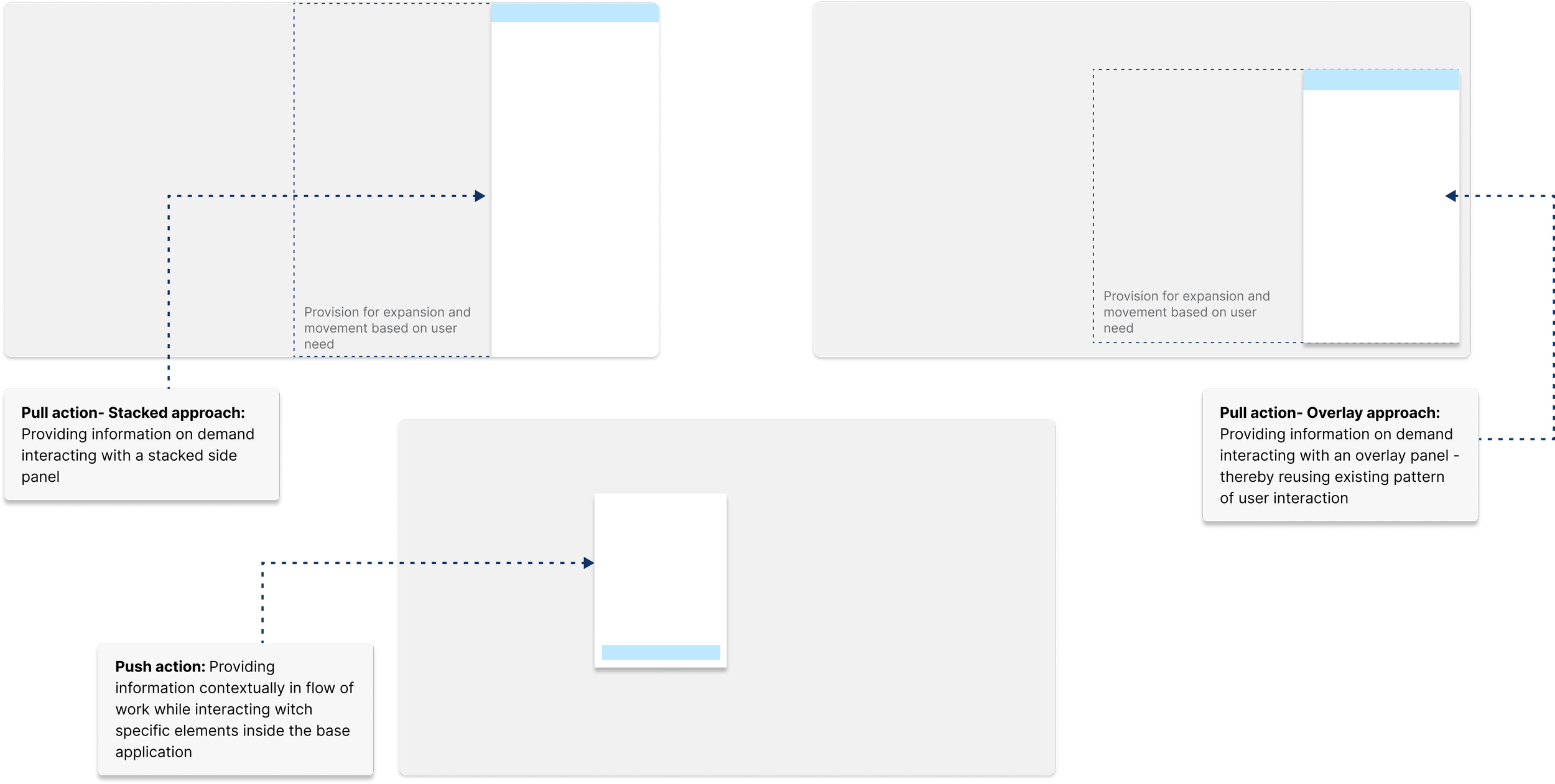
Anchored in the design principles and product direction, the solution evolved into a flexible system of form factors tailored to varying customer and organizational contexts.
Iterations & concepts
To iterate faster and explore multiple concepts, I created rapid mockups using Figma Make, V0, and Cursor. This helped me communicate ideas quickly and align with stakeholders on the right direction for enhancing Quickread.
Screenshot of some designs we tested with our users
Proposed anatomy of Quickread
Multimodality
Multi-modal search embedded within the user’s workflow, adapting to the context of the application through various formats such as modals, overlay panels, or stacked views.
User flow - Push based

User flow - Pull based
An on-demand pull based search that combines both lexical and semantic techniques, adapting dynamically to the user’s query based on the application context and the specific page or environment the user is currently interacting with
Quick read - Agentic Conversational experience
A static summary answers a single question. A conversational QuickRead enables users to iteratively refine their intent—asking follow-ups like “go deeper,” “what changed,” or “how does this impact me?” without re-highlighting or re-prompting.
The Impact
Quickread in flow of work and extension of Whatfix agentic AI
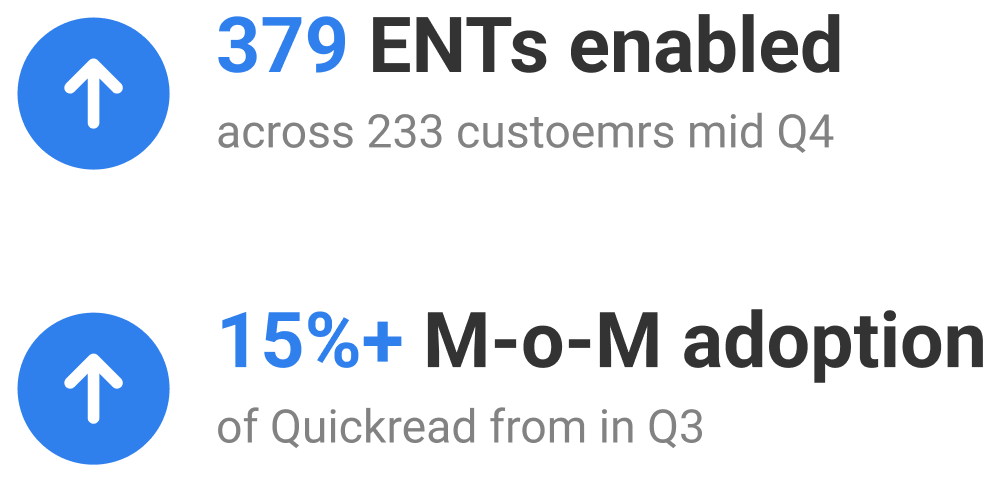
Quickread enablement went to an all time high of 379 ENTs across 233 customers
Adoption of Quickread increased to M-o-M of 19% by mid Q4
Got better qualitative feedback from customers around Quickread accuracy
Hits
Quickread in flow of work and having a route to go to Whatfix agent AI - helped in building confidence in AI & existing products “So, like I can definitely 100% validate that right now in all our conversations and all our engagement, uh, this is spot on.”
Miss
Customers expressed considerable fatigue in connecting data repositories to Whatfix systems
My takeaways
AI trust comes from transparency, not magic
Users trust results when they understand why something surfaced.Recency, accuracy, and source tracing shape credibility
Enterprise users reject results that feel outdated or inconsistent.Retrieval quality greater than UI polish
A beautiful interface fails if the information aren’t strong.AI experience needs “boundaries”
Users perform better when the system involves human in the loop rather than giving all control to system
Way Forward
Admin controls and screen sense need to be optimized for AI readiness, reducing the time between contextual understanding and surfacing relevant answers.
Enhance integrations experience for application and custom repositories
System to manage, sync updated information
Support customer’s preferred LLM with selective on-prem feature availability.